Do you want to play Among Us with your friends instead of random players? If you want to team up with your buddies and take on the impostors together, here’s a guide that will show you how to add friends on Among Us, even if you have the latest maps and updates.
Adding friends on Among Us is a simple process that allows you to play with your pals and have a great time. In this blog post, we’ll show you how to create a unique code, how to add your friends, and how to start playing together.
Table of Contents
How to add friends on Among Us
Adding friends to Among Us is an effective way to ensure you always have familiar faces to play with. It’s a straightforward process that won’t consume much of your time.
Here’s how to add friends on Among Us:
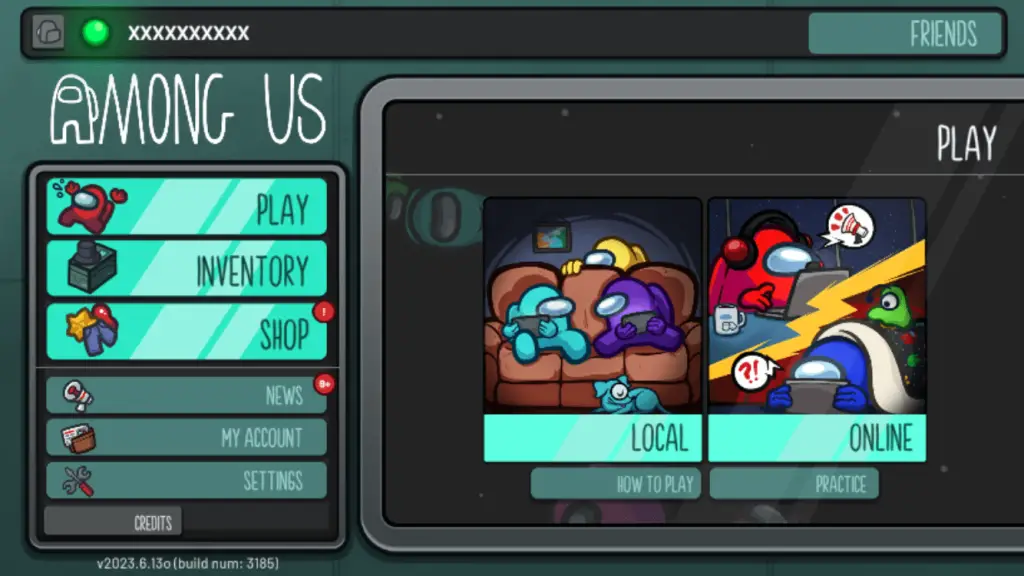
- Click ‘Play’ then ‘Online’ in Among US

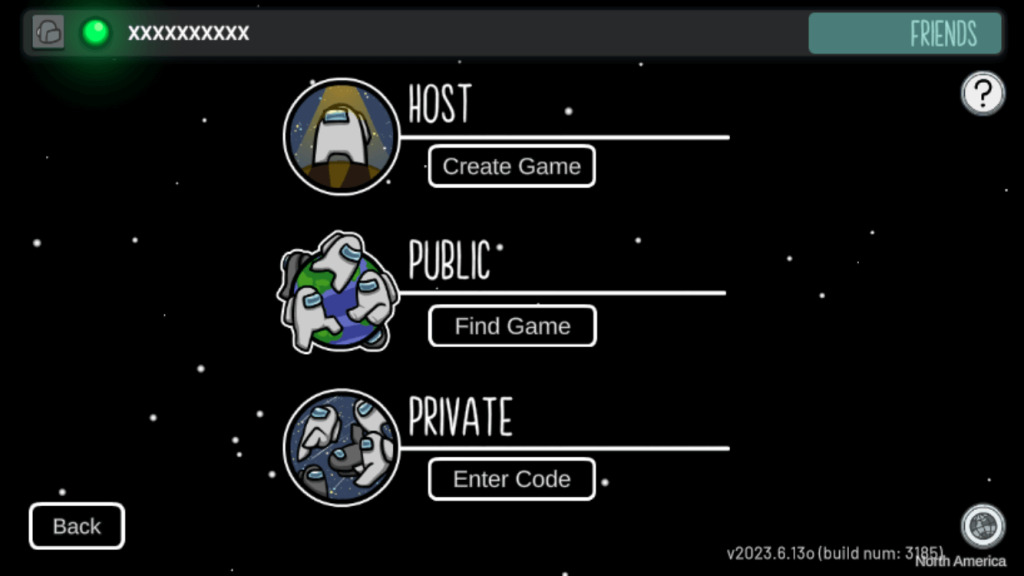
- You will then need to click ‘Create Game’ under the Host section
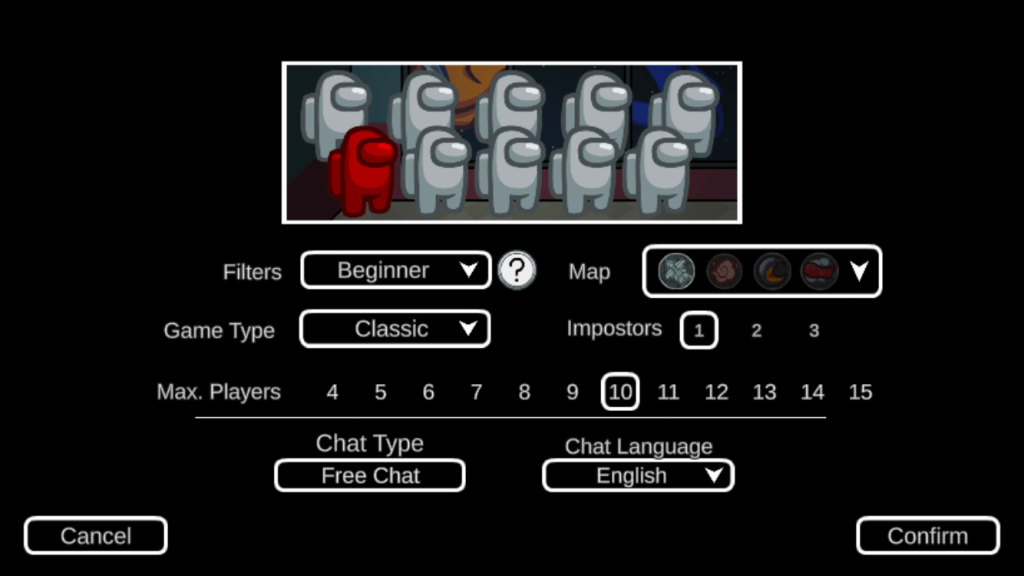
- Once you click that a bunch of game settings will appear that you can change, such as Map, Max Players, and Game Type.
- Once you click ‘Confirm’, you will be in the game.

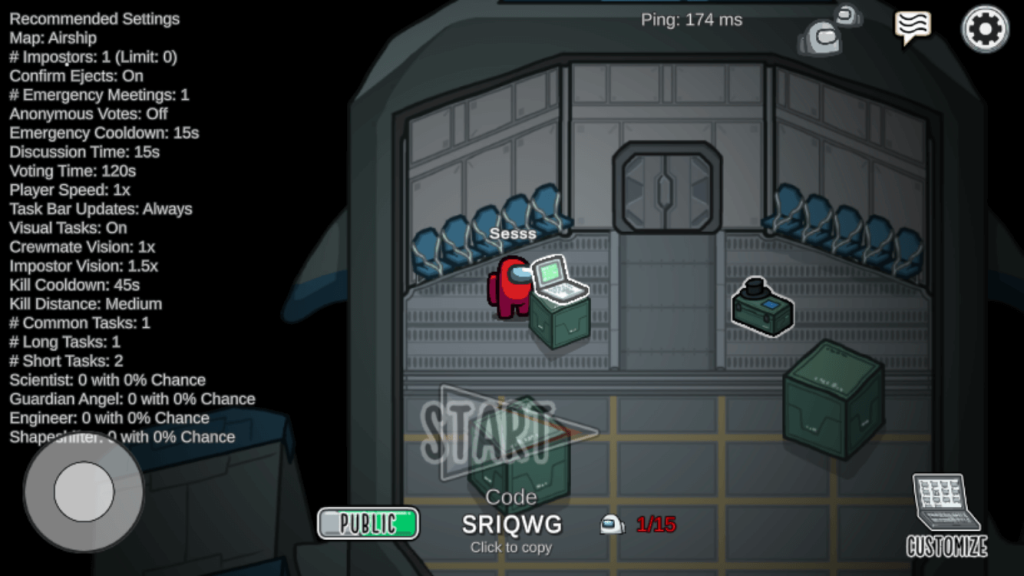
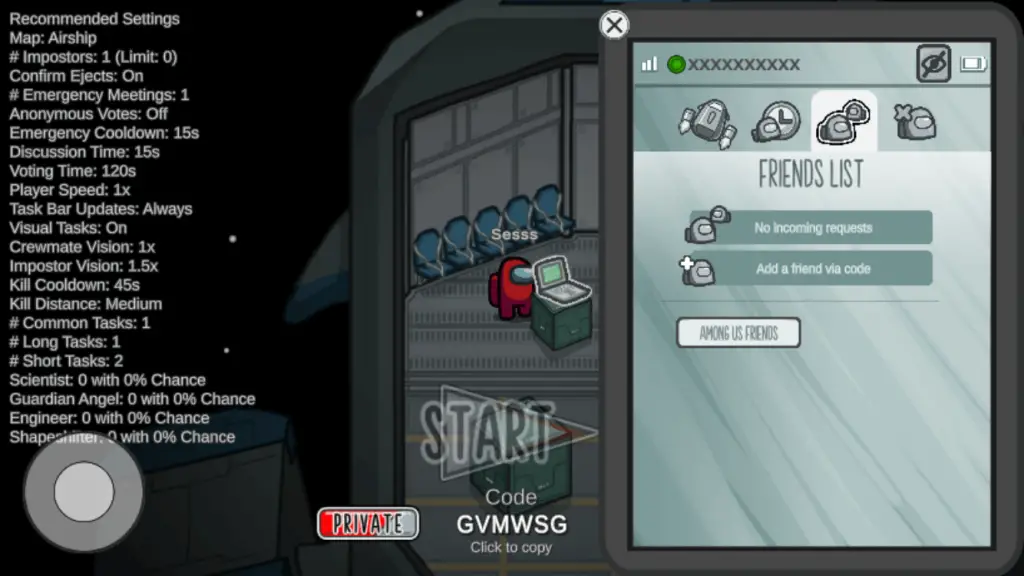
- You will then need to click on the Among Us helmet icon in the top right corner, which will load a pop-up where you can enter your friend code in.

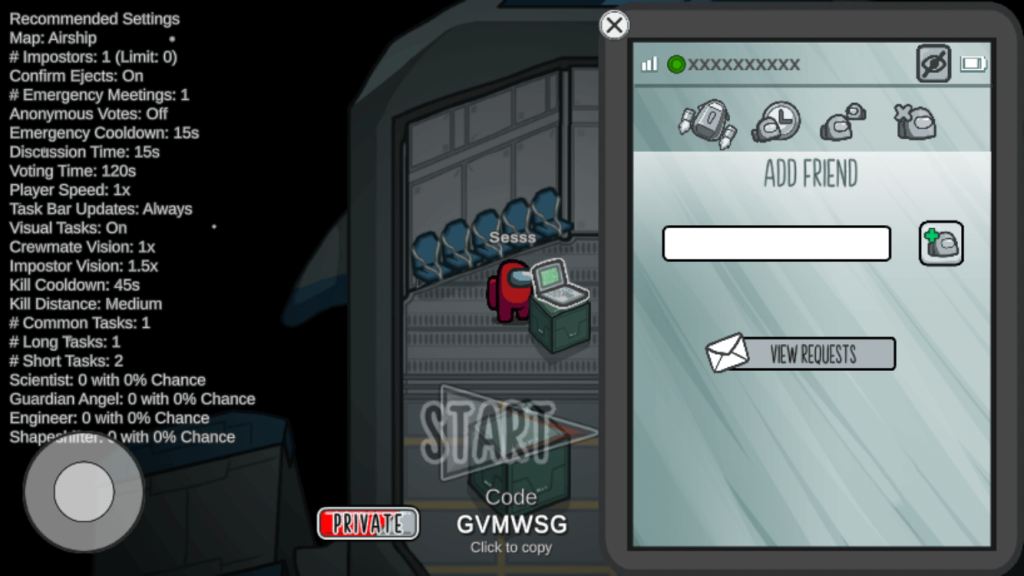
- Click on ‘Add a friend via code’, which will load a text field where you can enter your friend’s code in.

- Once you enter your friend’s name, you just need to click the + icon, which will send him/her an invitation request to your private game.
How do you play multiplayer in Among Us?
Playing online in Among Us is straightforward and should take you only a few minutes
Here are some quick and easy steps:
- Open the Among Us game and select ‘Play’, then “Online” mode from the main menu.

- Click on “Create Game” which will go to a screen where you can customize your private game settings.

- Customize what you need and when you are ready click ‘Confirm’

- Once the game loads, you will see a lobby code that you can share with your friends
- Share this Friend Code with your friends by copying it or writing it down.
- Once your friends have entered this Friend Code into their games, they should be able to join your game without any issues!
Playing multiplayer Among Us online is an exciting way to enjoy the game with friends from different locations. Coordinate, strategize, and uncover the imposters together for an immersive and thrilling gaming experience!
How to make a friend code in Among Us
Creating a friend code in Among Us is crucial if you want to play with your friends.
You don’t need to do anything to get a friend code in Among Us; it is automatically assigned to each account that is created.
Here are some easy steps to find it:
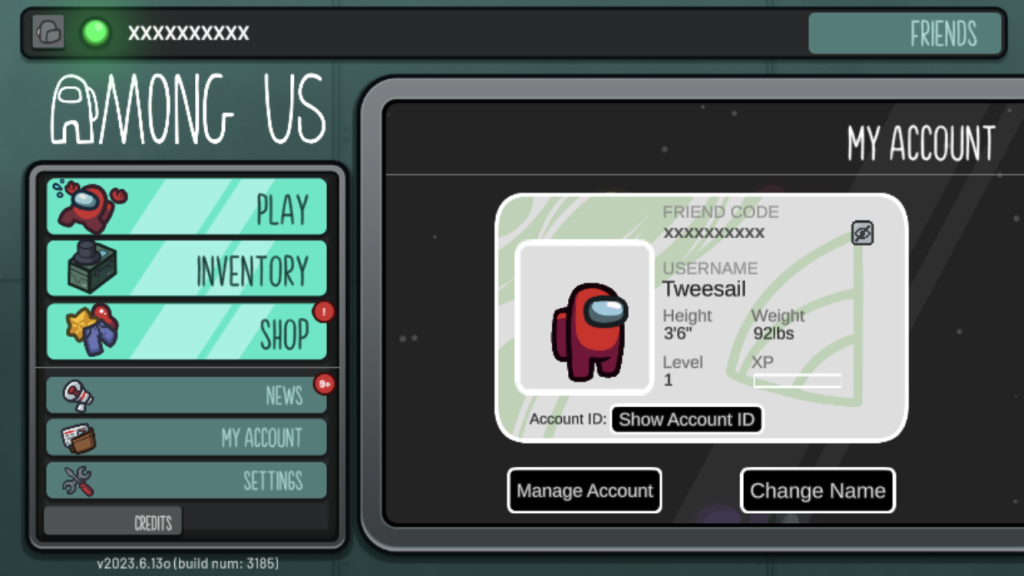
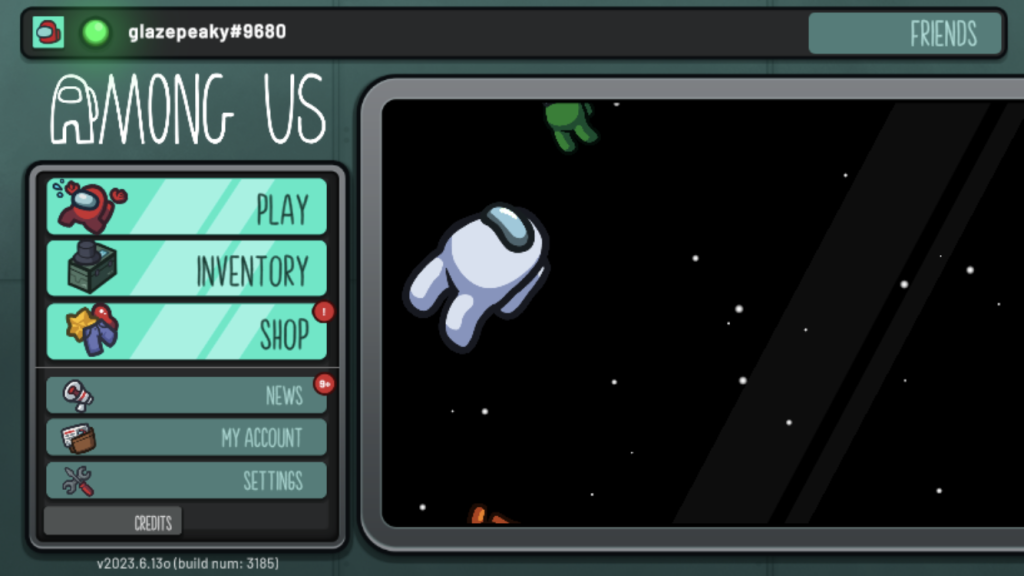
- Load the Among Us game and click on the small icon at the top left of the screen that is greyed out.

- Once you click on this, it simply shows your name, which is your friend code that can be shared with your friends. As you can see, my name is glazepeaky#9680

How to play Among Us with your friends
Playing Among Us with your friends is a fantastic and thrilling experience that adds a whole new level of strategy, teamwork, and betrayal to the game.
Here are two main ways to play Among Us with your friends:
Hosting a private game
- Select “Online” from the main menu and choose “Create Game”.
- Customize the settings such as the number of impostors and player speed.
- Share the room code with your friends so they can join your private game.
Joining a private game
- Joining a private game:
- Select “Private” from the online menu.
- Enter the room code provided by your friend to join their private game.
Playing Among Us with friends leads to unforgettable gaming moments, whether it’s catching an imposter red-handed or working together to uncover lies and deceit.
Related Guide: How to change your name in Among Us in 2025
FAQ
Why is my friend list on Among Us unavailable?
Have you ever encountered the issue of your friend list being unavailable in Among Us? You’re not alone. Many players have faced this dilemma, and it can be frustrating when you want to play with your friends.
Here are a few potential reasons for the unavailability of your friend list:
- Bugs or errors: Among Us has experienced various bugs and errors that have caused problems for players, including issues with friend lists. These issues are typically resolved through patches or updates released by the developers. Make sure to update your game version if available, as it often includes bug fixes.
- Technical difficulties: While encountering this issue can be frustrating, it’s important to remember that factors outside of your control can cause it. Regularly updating your game and staying patient when facing technical difficulties will help mitigate these challenges.
How do I find people to play Among Us?
If you’re searching for people to play Among Us with, there are several ways to connect with fellow players.
Here are a few options:
- Public lobbies: join a public lobby and wait for other players to join. Keep in mind that this method can be hit or miss, as you’ll be playing with random individuals.
- Online communities: Use online communities such as Reddit or Discord, which have dedicated Among Us channels where players can connect and organize games.
- Social media platforms: Invite your friends or acquaintances from platforms like Facebook, Twitter, or Instagram to play with you. This allows you to play with people you already know and trust.
- Gaming communities: Consider joining an Among Us group on Facebook or another platform explicitly designed for gaming communities. You’re likely to find like-minded individuals who share your passion for the game and are eager to play together.
With numerous options available, you’ll have no trouble finding new people to play Among Us with.
Final Thoughts
Knowing how to add friends on Among Us brings more fun and excitement to the game.
By following the steps mentioned above, you can easily add friends by creating a friend code or joining an existing lobby.
Playing with friends enhances the game and strengthens relationships beyond the game.